
Your SV06, reforged.
New firmware for the original Sovol SV06. It knows how much filament is left, prints quietly at night, starts when you tell it to, and shows what matters on the screen.
Everyday features, right on the knob
Knows what's left on the spool
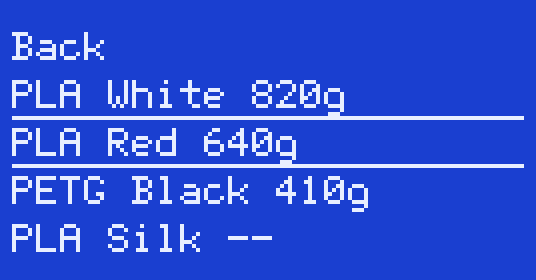
Grams left on up to 8 spools, counted from what the extruder actually pushed. The printer picks the spool from the file's material, asks only when several match, and warns you before a print that needs more than is left. Set spools up from the spool page over USB, or with M1100.
Slow and quiet, whatever the file asks for
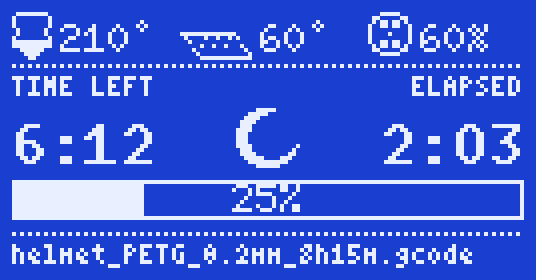
One switch in the menu makes printing slow and quiet for overnight prints and mutes the beeper. A moon on the status screen shows it's on.
The things you use, at the top
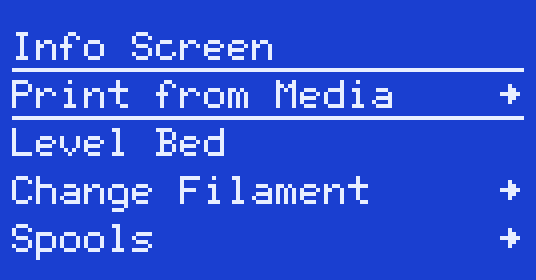
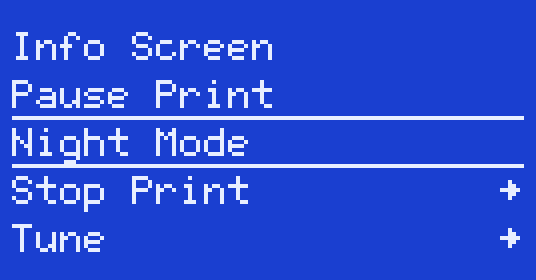
Print, Level Bed, Change Filament, Spools and Night Mode sit at the top of the main menu. During a print it shows Pause, Night Mode, Stop and Tune.
Small things that add up
Delayed start
Pick a file, choose “Start later” (30 minutes to 24 hours) and the screen counts down. Then it heats and prints on its own.
Printed marks
Files you printed to the end get a check mark, or a count, in the file list.
Redesigned status screen
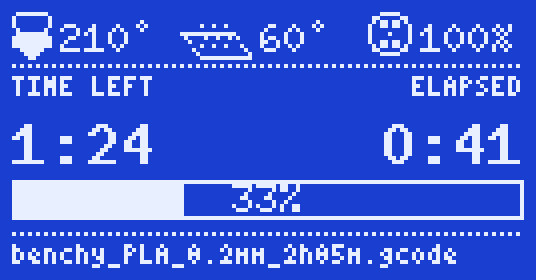
Large time left and elapsed, a progress bar with the percentage inside, heater icons that fill with the power they get.
Input shaping and linear advance
Cleaner corners at speed.
Bed mesh always on
Applied after every homing, with no extra start G-code.
Runout sensor support
For Sovol's optional sensor. Off by default, so printers without one work as before.
Every build is checked against stock
- No value is hotter, faster or stronger than in Sovol's stock firmware.
- The watchdog is on.
- The firmware fits the fast part of the GD32's flash (at most 233,472 bytes) and starts above the bootloader.
Five steps, one SD card
- Write down your Z offset and check that Sovol's stock file flashes from your card (first boot, section 0).
- Download the
.binfrom Releases. - Copy it to a FAT32 microSD card (16 GB or smaller) under a name the printer has never seen, insert, power on, wait about 30 seconds (flashing guide).
- On an EEPROM alert choose Reset, then set your Z offset again and run Level Bed.
- Go through the first boot checklist before the first print.